Does Immopix work for interior photos and virtual staging?
Yes. For interior photos, Immopix offers five presets that you can use individually or in combination. The AI keeps the architecture of the room intact and only changes what you select.
The presets at a glance
Improve lighting
Brightens dark rooms, corrects the yellow cast of artificial light and creates a natural daylight look. The room feels lighter and more inviting without anything being added or removed. If sky is visible through the windows, it is brightened too, while the actual view outside (houses, trees, streets) stays unchanged.
Declutter
Removes visible mess: cables, piles of laundry, items lying around, and personal belongings such as family photos or mail on the table. Larger furniture stays in place. Only the small stuff disappears. If the room was already tidied before the shoot, you will not need this preset.
Decor & details
Adds subtle staging touches: a bouquet on the dining table, folded towels in the bathroom, a bowl on the sideboard. The idea is what an agent would actually bring to a viewing, not an overloaded showroom look. In rooms that are already well furnished, the AI keeps this preset deliberately restrained.
Virtual staging
Furnishes empty rooms with tasteful, contemporary furniture. The AI recognises the room type (living room, bedroom, office, bathroom, walk-in wardrobe) and proposes a layout that suits the size and the light. You can set the style yourself (modern, Scandinavian, classic, country, industrial) or let the AI decide. Existing furniture stays untouched. Furniture is only added where the room is empty. In empty kitchens the AI adds a complete modern fitted kitchen, since kitchens often move out together with the previous owner. A walk-in wardrobe gets cabinets, shelves and clothes rails.
See all five furniture styles in the same room, plus a Japanese-inspired example created with custom wishes.
Replace furniture
Removes the existing furniture and decor and stages the room from scratch. This is useful for anonymising an owner's personal interior or for showing a change of style. The option is added on top of the staging preset and is switched off by default.
What the AI never changes
Whichever preset you choose, the following always stays original:
- Room size and floor plan
- Windows, doors and fixed installations (fitted kitchen, bathroom fittings)
- Walls, floors and ceilings
- The view out of the windows
- Existing furniture, unless you explicitly activate "Replace furniture"
An existing fitted kitchen therefore stays as it is. Only in empty kitchens does virtual staging add a new one.
Combining presets
For a lived-in living room, "Improve lighting" plus "Declutter" is often the right combination. For an empty room, use "Improve lighting" plus "Virtual staging". You can also add your own written instructions on top, for example to remove a specific object.
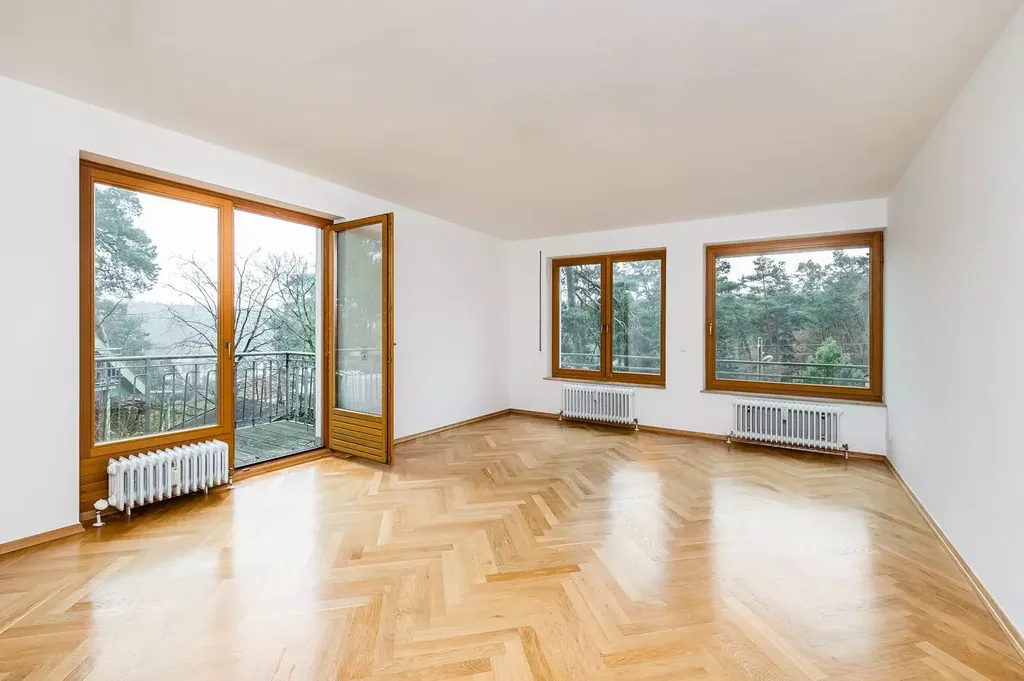
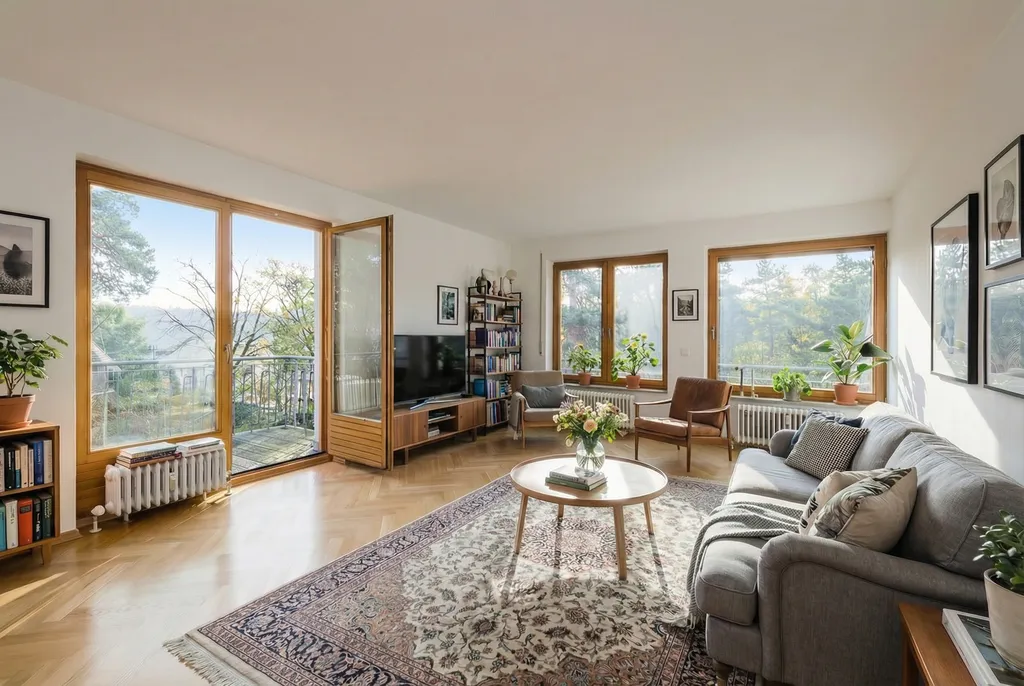
Label staged photos in your listings
As with any virtual staging, add a short note to your listing, for example: "Virtually staged. The furniture shown is not part of the property." This sets the right expectations with buyers and keeps you on the safe side, including under the EU AI Act disclosure rules that apply across the EU from August 2026.