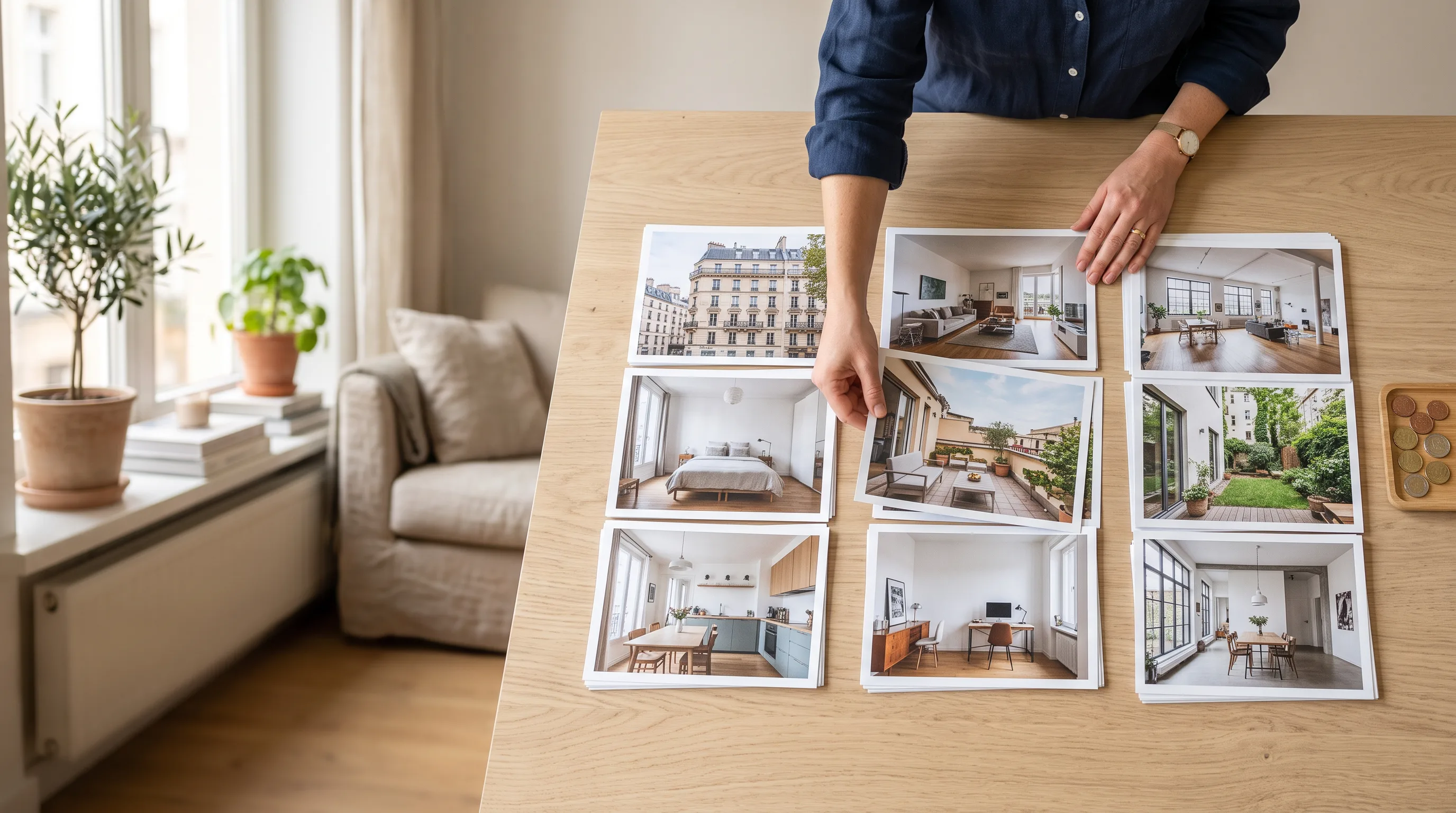
AI Real Estate Photo Editing in the EU (2026)
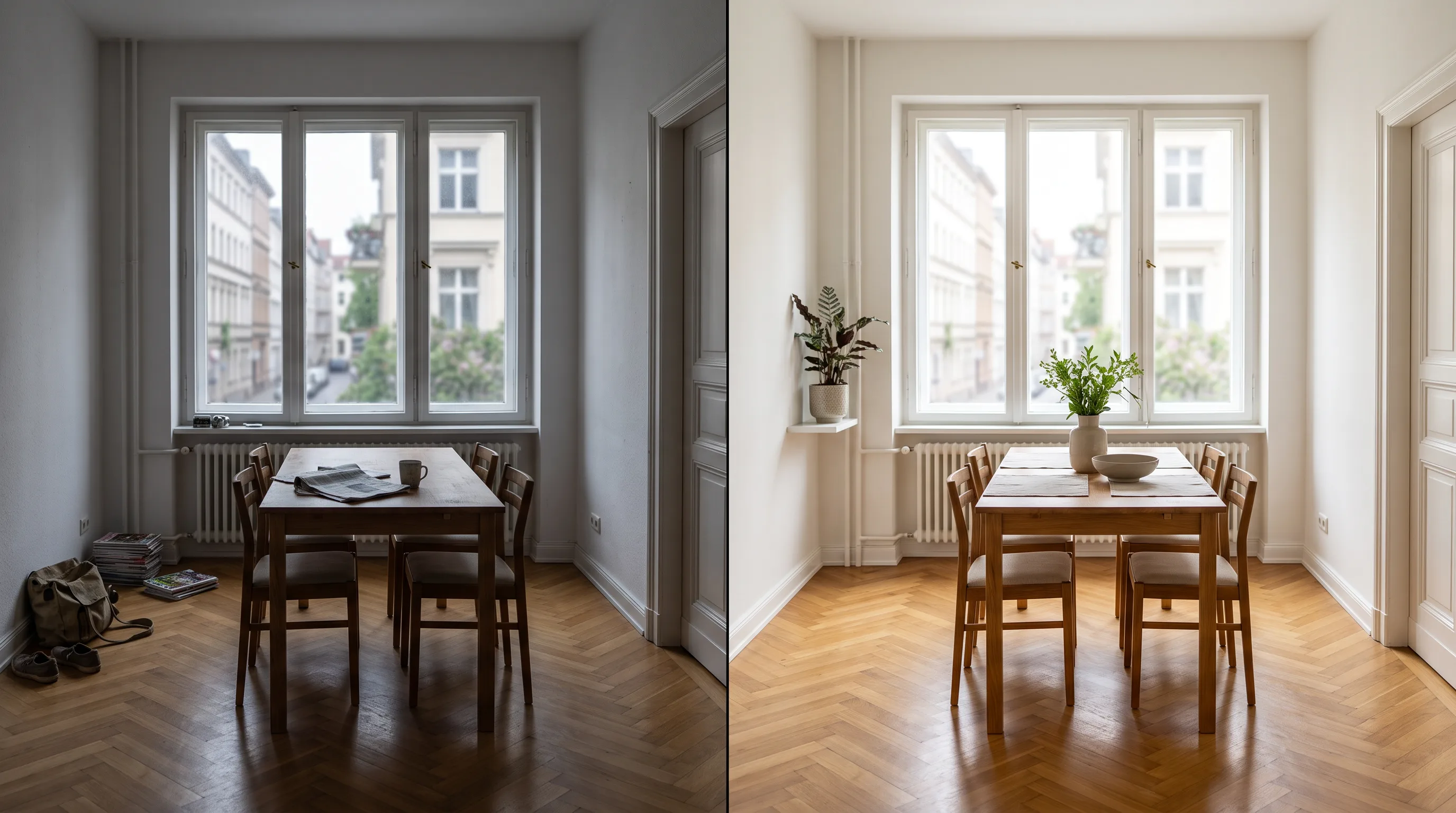
AI real estate photo editing uses artificial intelligence to improve property photographs while keeping the home itself recognisable and truthful. It can correct exposure and colour, straighten perspective, improve a grey sky, remove temporary clutter and furnish an empty room digitally. For an EU estate agency, one rule covers most cases: improve how the property is presented, but do not hide defects, invent permanent features or change anything a buyer would rely on.
From 2 August 2026, the EU AI Act adds transparency duties for certain generated or manipulated images. The technical provider is responsible for machine-readable marking where Article 50 applies. An agency using the system professionally may also need to disclose a published image visibly when it constitutes a deep fake. The Commission's final July 2026 guidance distinguishes ordinary corrective editing from realistic additions, removals and substantial scene changes. GDPR matters too whenever a listing photo contains identifiable people or other personal data. Agents should limit each edit, compare the result with the original, label material changes clearly and check the tool's data-processing terms.
What is AI real estate photo enhancement?
AI real estate photo enhancement uses software to correct or deliberately alter a property image for marketing. Unlike a general chat tool such as ChatGPT, it starts with a real photograph and should preserve the building, room layout, permanent fixtures and visible surroundings.
The useful distinction is between correction and creation. Correcting an underexposed room helps the photograph show what was already there. Adding a sofa to an empty room creates a visualisation of what could be there. Both can be useful, but they need different review and disclosure decisions.
The tool also needs to preserve details that image editing can easily distort, including windows, doors, rooflines, stairs, views through windows, house numbers and signs. Immopix applies those constraints when agents use its real estate photo enhancement tool, but the agent still approves the final image before publication. Use the AI real estate photo quality checklist for that final original-to-result check.
What can AI improve in property photos?
AI can correct exposure and perspective, alter the weather, remove temporary objects and stage empty rooms without manual masking. How closely the agent needs to review the result depends on whether the edit corrects the photograph or changes the scene.
Exposure, colour and perspective
Exposure correction can brighten a dark interior, neutralise an unwanted colour cast and restore detail in shadows. Perspective correction can straighten converging vertical lines, provided it does not reveal or invent anything outside the original frame.
The aim is a natural version of the same room, not a different lighting condition. Walls should retain their real colour, windows should remain in place and exterior details visible through the glass should not change. A restrained exposure correction is usually easier to review than a broad instruction to "make the room look better".
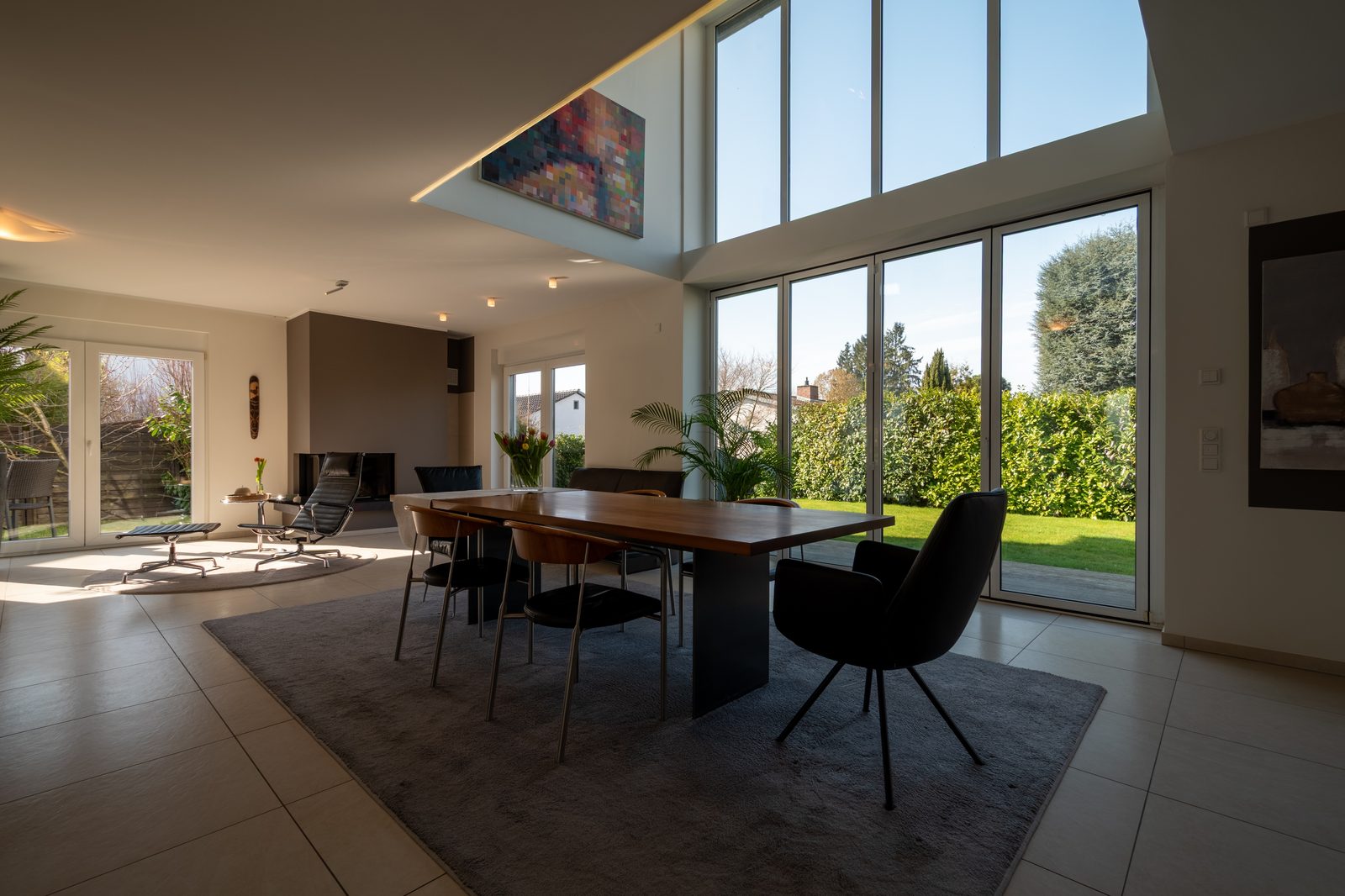 Before
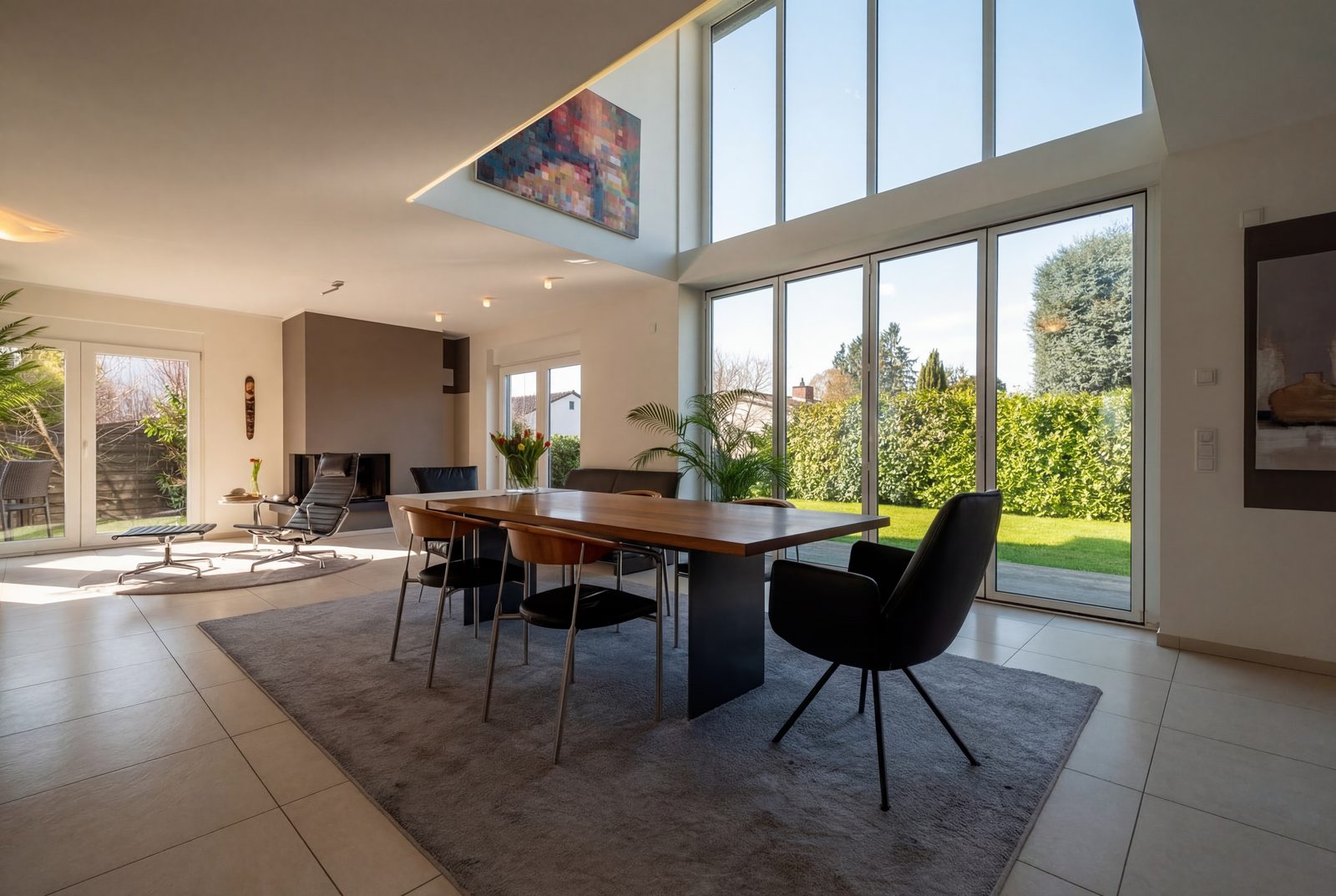 After · AI-edited
Weather and sky
A sky replacement can improve an exterior photograph taken on an overcast day. It changes the scene rather than merely correcting the camera, so the new sky, sunlight and shadows must agree with one another. Because this changes the scene, we recommend labelling it visibly.
Do not use weather editing to disguise damp, flooding, snow damage or the actual condition of outdoor surfaces. Those details may be relevant to a buyer.
Temporary distractions
AI can remove distracting objects such as bins, loose cables, toiletries or a parked car. It should not remove cracks, stains, utility equipment, neighbouring buildings or permanent fixtures.
The practical test is not whether an object looks unattractive. Ask whether it could have been moved before the photographer pressed the shutter. Even then, disclose the removal when the finished image would otherwise appear to be an untouched photograph.
Virtual staging
Virtual staging adds furniture and decor to an empty room so viewers can understand its likely use and scale. The furniture must fit the room's perspective, light and dimensions. It should never cover a defect or imply that an item is included in the sale.
Publishing the empty original alongside the staged version gives buyers useful context and reduces confusion.
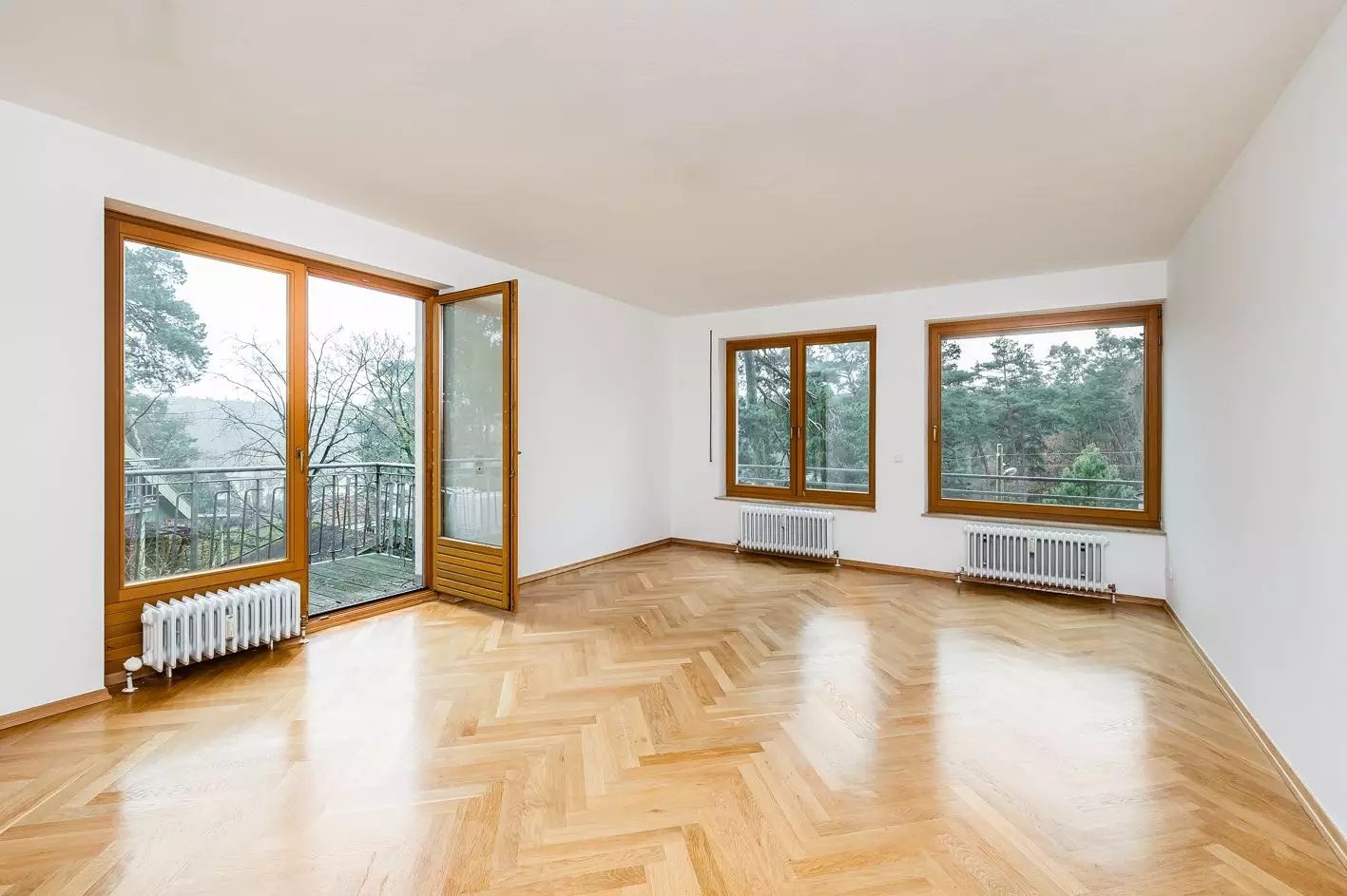 Before
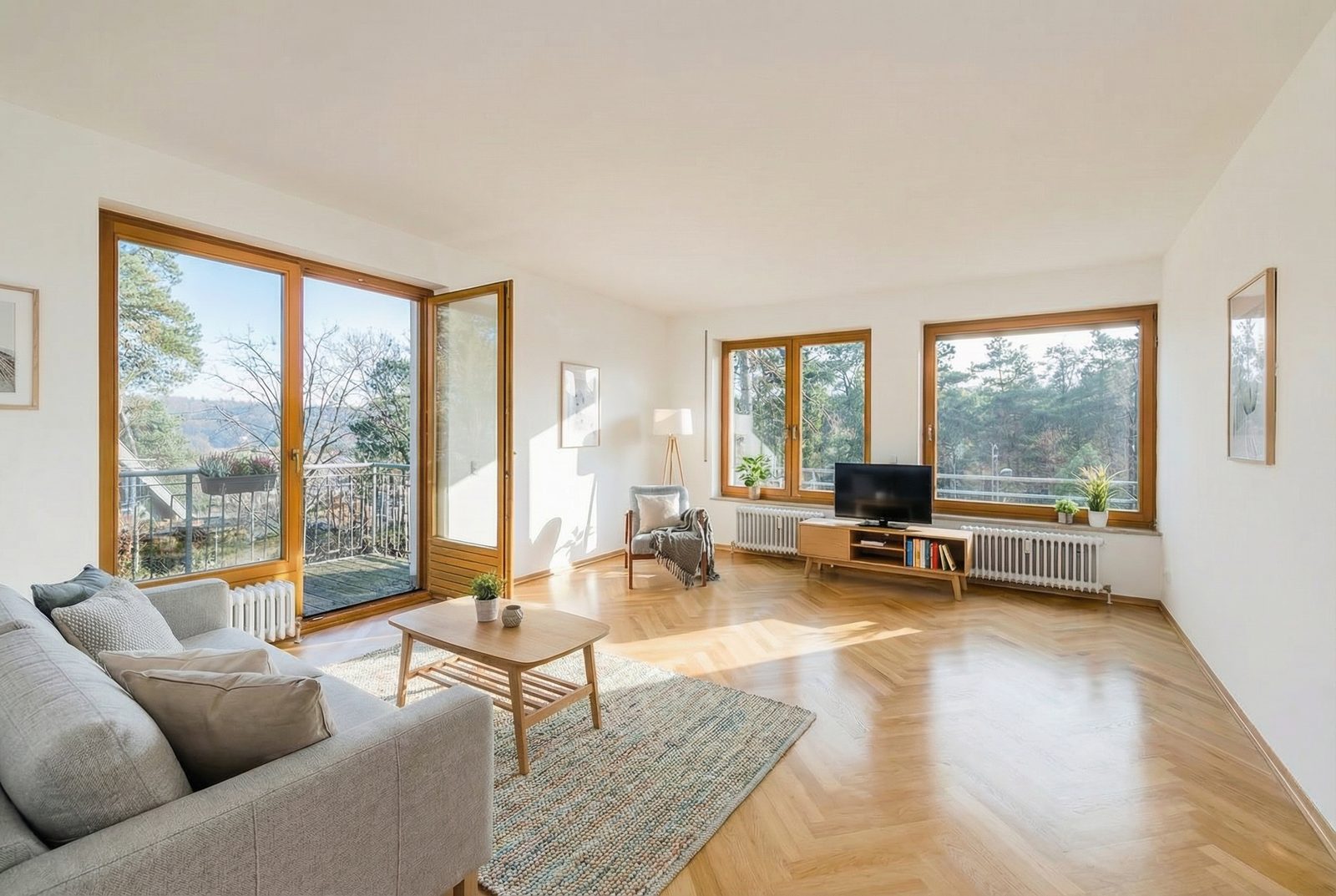 After · AI-edited
What do agents use AI photo editing for?
Agents most often use AI editing for ordinary presentation problems. The Immopix real estate photo study, published in May 2026, analysed 4,098 uploaded photos and 6,101 completed edits from 275 German real estate agencies between January and May 2026.
Across 9,848 individual enhancements applied to 3,983 edited photos, exposure and colour accounted for 38%, distracting-object removal for 27%, weather corrections for 12% and virtual staging for 9%. One edit can contain several enhancements. The sample covers photos that agents deliberately submitted for improvement, and nearly all participating agencies were in Germany. It does not represent every listing photo in Germany or the wider EU.
Which edits are safe, discloseable or unacceptable?
Classify an edit by whether it changes a fact about the property, not by the number of pixels that changed.
| Category | Typical examples | Publishing decision |
|---|---|---|
| Corrective edit | Moderate exposure, white balance, sharpness, straightening | Usually low risk if the property and meaning of the image stay unchanged. Keep and review the original. |
| Material but disclosable edit | Sky replacement, removal of temporary objects, virtual furniture | Review closely and add a visible, specific label. Retain the unedited version. |
| Misleading edit | Hiding damp or cracks, changing a view, moving walls, adding windows, removing permanent equipment | Do not publish. A label does not make a deceptive image acceptable. |
EU consumer law remains relevant alongside the AI Act. A commercial presentation can be misleading if its overall presentation deceives an average consumer about material characteristics and affects a transactional decision. The Unfair Commercial Practices Directive sets that EU framework, while national implementation and property law may add further duties.
Which AI-edited property photos must be disclosed?
Article 50 requires different actions from AI providers and professional users. Under Article 50 of the EU AI Act, providers of systems that generate synthetic content must make covered outputs machine-readable and detectable as artificially generated or manipulated. Paragraph 2 contains an exception for systems performing an assistive function for standard editing or not substantially altering the input data or its meaning.
A professional agency using an AI system is generally a deployer. Under paragraph 4, a deployer must disclose image, audio or video content that constitutes a deep fake. The Act defines this broadly: it can resemble an existing person, object, place, entity or event and falsely appear authentic or truthful. Depending on its presentation and whether it would falsely appear authentic, a realistically altered property photograph can therefore fall within the definition even when no person appears in it.
Providers and agencies have separate duties. The provider-side exception for standard editing appears expressly in paragraph 2. The deployer-side duty turns on whether the image is a deep fake. Machine-readable metadata supplied by a tool does not by itself replace an agency's visible disclosure when paragraph 4 applies.
In its final Article 50 guidance, published on 20 July 2026, the Commission distinguishes ordinary corrections such as exposure, colour and sharpness from realistic additions, removals and substantial scene changes. These are practical examples rather than a statutory whitelist; the finished image and its publication context still matter.
Immopix adds C2PA Content Credentials to new AI-edited JPEGs and signs the thumbnails and display images it generates from them. These records identify Immopix and the use of AI; EXIF details remain as a fallback. Public verification tools do not currently trust our certificate's issuer, and portals may remove the records during upload. Keep any required visible caption. The legal FAQ explains the signing setup and how it affects older files.
How should agents label an AI-edited listing photo?
A disclosure should tell the viewer what changed in plain language. Article 50(5) says the information must be clear, distinguishable and accessible by the time of first exposure. A general note at the end of a long listing does not give the viewer clear notice at first exposure.
Useful wording includes:
- Virtual staging: "Virtually staged. Furniture shown is a visualisation and is not included."
- Sky replacement: "AI-edited photo: sky and weather altered."
- Object removal: "AI-edited photo: removable items removed."
Place the note on the image or directly beneath it in the gallery. For virtual staging, publish the empty original as well when the portal permits it. The Commission's June 2026 transparency code also provides an optional EU labelling icon. Add plain wording so viewers know exactly what changed.
Does GDPR apply to listing photos?
GDPR applies when a listing photo contains information relating to an identified or identifiable person. An empty room is not automatically personal data, but a face, family portrait, name on a document, recognisable number plate or distinctive personal possession may be.
Before uploading, remove unnecessary personal material from the room or crop it out. The agency should know its legal basis and remain able to answer data-subject requests. Where an editing service processes photos for the agency, Article 28 of the GDPR requires appropriate processor terms. International transfers, subprocessors, retention and deletion also need to be documented. The EDPB's controller and processor guidance explains how those roles and contracts work in practice.
EU storage and EU processing are not the same claim. Immopix stores platform data on German and European infrastructure, uses data-processing agreements with its subprocessors and does not use uploaded photos for model training. Specialised image processing may involve an external service, so the relevant safeguards must cover that step too. The Immopix GDPR overview sets out the current arrangement.
A five-step workflow for publishing enhanced photos
Before an edited image reaches a portal, the agent should be able to show what changed and why it was approved.
-
Start with a truthful original. Remove personal information where possible, and note permanent features, visible defects and important views before editing.
-
Request the narrowest useful change. "Correct exposure and white balance" is easier to control than "make this room more attractive". Edit one problem at a time when the result is hard to assess.
-
Compare both files at full size. Check windows, doors, walls, rooflines, stairs, fixed equipment and views through glass. Look at reflections, shadows, readable text and small edges where invented details often appear.
-
Classify and disclose the result. Decide whether it is a standard correction, a material but truthful visualisation, or an unacceptable change. Apply a specific visible label to the second category. Reject the third.
-
Keep an audit trail. Retain the original, edited image, instruction, date and disclosure wording. For a staged room, keep both versions together and publish both when practical.
What should you check before choosing an AI photo tool?
A suitable tool makes every change easy to inspect before publication. Check whether it preserves permanent property features, offers a side-by-side comparison, supports restrained edits and gives you control over revisions.
Also ask for the processor agreement, current subprocessor list, processing locations, transfer safeguards, deletion period and training policy. Confirm what machine-readable provenance the tool adds and whether you can add a visible disclosure before downloading. A legal claim on a pricing page is less useful than documents your agency can retain.
Frequently asked questions
Is AI photo editing legal for real estate in the EU?
AI photo editing is not prohibited for EU real estate marketing, but the image must remain truthful and the agency must meet applicable disclosure, consumer-protection, data-protection and national requirements. Correcting a photograph is different from hiding a defect or inventing a permanent feature.
Do all AI-edited property photos have to be labelled?
Not necessarily. Article 50 distinguishes provider-side technical marking from deployer disclosure of images that constitute deep fakes. Moderate standard corrections may fall outside that second category, while realistic staging, additions, removals and scene changes warrant a visible label under a conservative approach.
Is virtual staging legal in the EU?
Virtual staging is generally possible, subject to national rules, when it is clearly presented as a visualisation and does not cover defects or distort the room's size and structure. Label the furniture as virtual, state that it is not included and publish the empty original alongside it where possible.
Can AI remove objects from a listing photo?
AI can remove genuinely temporary distractions, but the finished image should disclose the removal if it would otherwise look like an untouched photograph. Do not remove defects, permanent equipment, neighbouring structures or anything relevant to a buyer's assessment.
Does an AI-edited image label make every edit acceptable?
No. Disclosure explains that an image changed; it does not cure deception. An image that hides damp, changes a view or invents structural features can still mislead buyers even if it carries an "AI-edited" label. The correct action is not to publish it.
A practical standard for EU agents
Good AI real estate photo editing improves the presentation without changing facts about the property. Keep corrections restrained, disclose realistic scene changes, protect personal data and retain the original file for every published edit.
Create an Immopix account to try the workflow on one of your own listing photos. Compare the result with the original before deciding whether to publish it.