How do I write good instructions?
With your own instructions, you control the AI edit in plain English. You write what should happen, and Immopix carries it out. If only one spot should change, mark it in the Edit one spot tab with a rectangle or a free form. There is no brush. To crop a photo or highlight an area, use the separate
(/en/faq/image-editor/). Five rules help the AI understand what you mean.
In the video
The five rules
- Be specific, not vague. "Make the image nicer" gives the AI nothing to work with. "Remove the bin in front of the garage" does.
- State the position. Say where something should go: "on the left wall", "next to the door", "in the corner by the window". Without a location the AI decides for itself, and that goes wrong more often.
- Say what has to stay. The AI sometimes changes more than you wanted. Protect important details explicitly: "The towel rail stays unchanged."
- Combine planned changes. Include the changes you already want in your first instruction. Use further revisions only as needed: each AI edit builds on the previous image, which can affect quality and details.
- Name colours and materials. "A light grey sofa and an oak coffee table" prevents a wild mix of styles.
Recreate from original
Before a third consecutive AI edit, Immopix suggests combining your changes and applying them to the original photo when you submit. This avoids building the next edit on several already altered images. Recreating the photo can still change details you liked.
The dialog shows the combined presets and instructions, including your new request. Review the text and adjust it if needed. For example, if you first asked to add a sofa and later changed its colour, the summary should describe the sofa in the colour you now want. You can recreate from the original or continue editing the current version. Closing the dialog starts no edit.
The same suggestion appears when you choose Try again for a poor result and the retry would produce a third or later consecutive edit. The retry stays free. A normal new edit uses the usual credits or free revision allowance; the dialog shows the cost before you start.
You can also choose Recreate from original in the menu at the top right of the photo after the first AI edit. In the dialog, you can choose to combine eligible edits automatically in future or stop showing the suggestion. The manual action stays available. This feature is not available for floor plans.
Examples to copy
Furnish an empty living room:
Furnish the room in a modern style: a light grey sofa on the left wall, a wooden coffee table in front of it, a large plant in the corner by the window.
Furnish a bedroom:
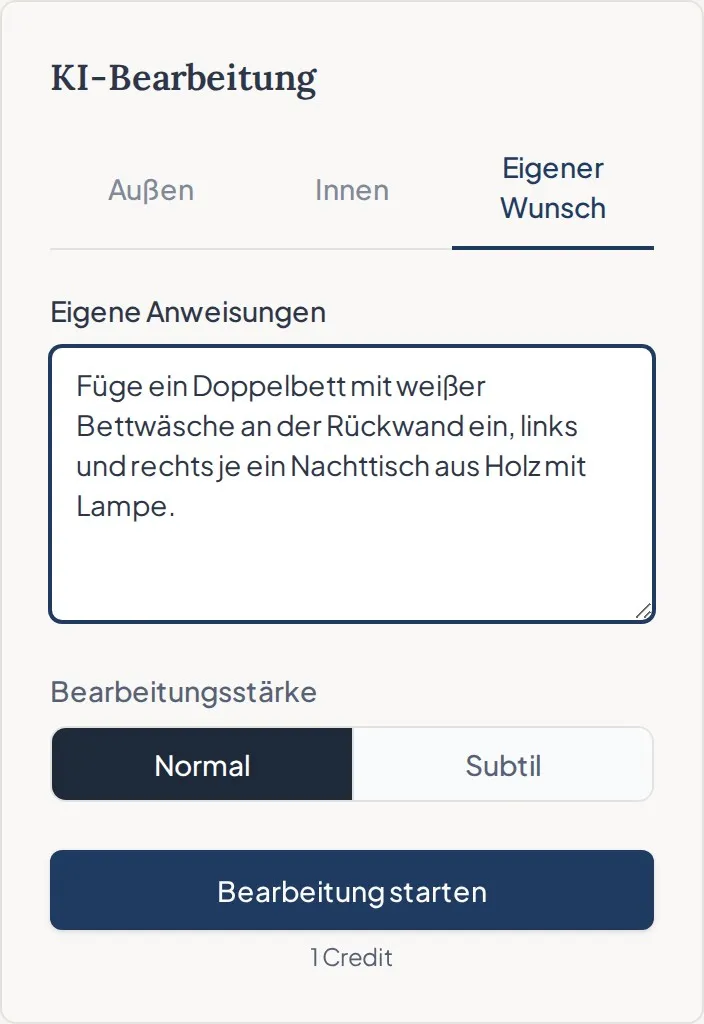
Add a double bed with white bedding against the back wall, with a wooden bedside table and lamp on each side.
Show a tidy bathroom:
Remove all personal items. Add folded white towels and a small plant on the shelf. Fixtures and mirror stay unchanged.
Remove an object:
Remove the bins to the left of the entrance. The house number stays unchanged.
Place an object in a specific spot:
Put the washing machine and dryer side by side against the left wall. The toilet roll holder stays unchanged.
Improve an exterior shot:
Make the lawn look well kept and green, and remove the parked car in the driveway. House and garage stay unchanged.
The rug trick: Does the floor have stains or a busy pattern? Instead of fiddly retouching, ask for a rug:
Place a large, light rug in the middle of the room.
This hides the flaw and makes the room feel more homely.
The proportion anchor: If added furniture looks too big or too small, give the AI a fixed reference point in the room:
Add a chest of drawers that ends below the window sill.
That keeps the AI to the right scale.
Just one specific change and nothing else?
If the change concerns only one spot, use the Edit one spot tab. Mark the spot with a rectangle or a free form and write briefly what should happen there, for example "Remove the floor lamp". Immopix then edits that area and usually leaves the rest of the photo unchanged. If nothing changed in the marked spot, you are not charged. If it does not work, name the object more precisely or mark only that object.
For an instruction that concerns the whole photo, deselect all presets and turn on "Lock camera angle". Immopix then carries out only your instruction and leaves the rest of the image unchanged. For how to do this, see How do I use the presets correctly?
English or German?
English instructions work just as well as German ones. Write in the language you think in.
For the full picture from upload to finished image: Guide: how to get your first photo right