Multi-Angle Virtual Staging: Same Furniture in Every Photo
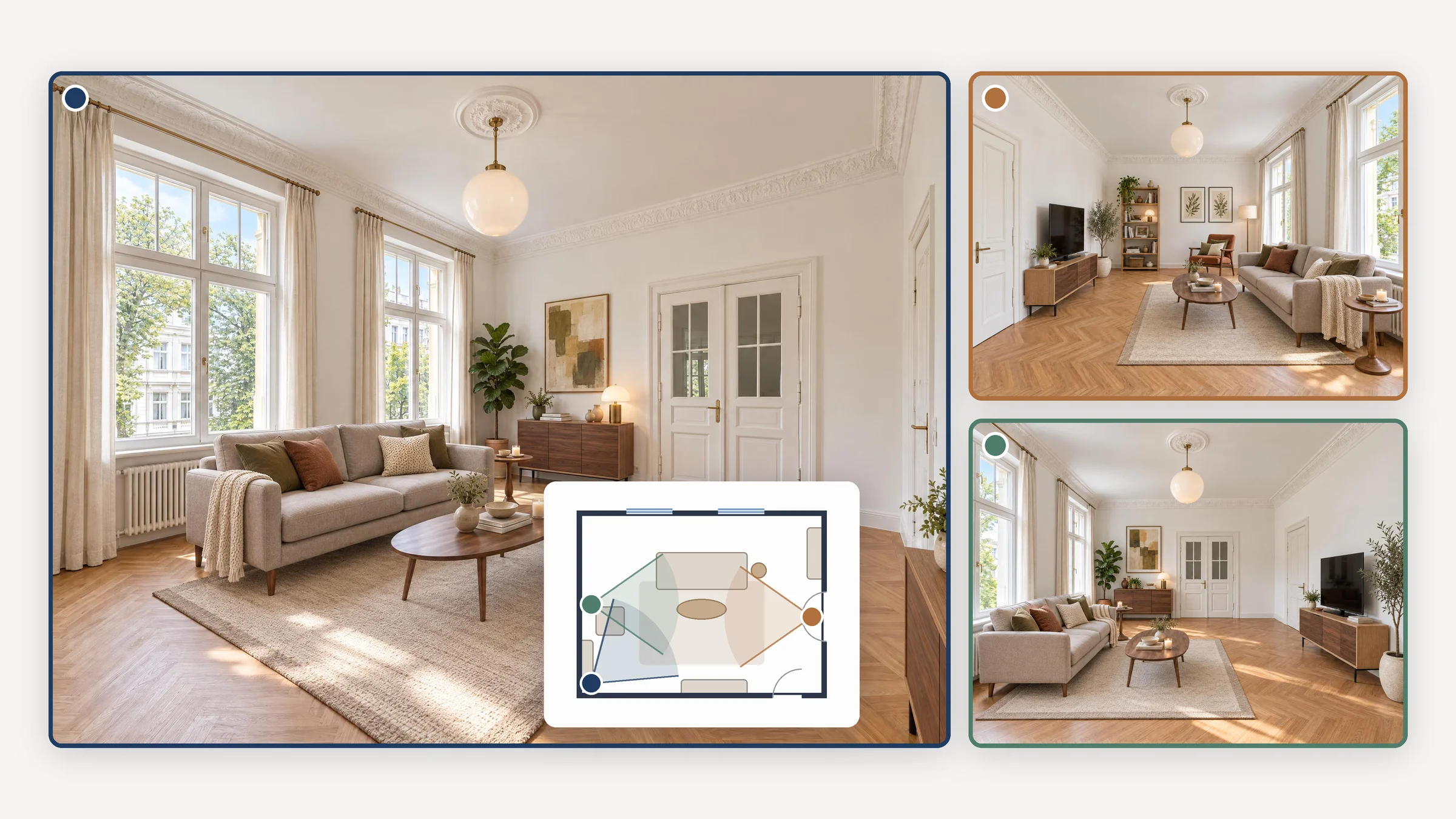
When virtual staging works photo by photo, each photo gets its own furniture. If you photograph a living room from two corners, one photo may show a grey corner sofa and the other a blue two-seater. The fix is one plan for the whole room. The AI decides once which furniture goes where, and then furnishes every photo to that plan. In Immopix, this feature is called Furnish consistently. Like any staging, it costs 1 credit per photo, and a room is usually ready in about 3 minutes.
Why does the furniture change from photo to photo?
Many tools edit each photo on its own. The AI only sees the one image it is furnishing, and it invents furniture that suits that image. It knows nothing about the second photo of the same room. So even with the same style and the same instructions, it furnishes each photo from scratch, often with a different sofa against a different wall.
Real estate photographers report the same problem in forums. One user writes that their tool furnishes every angle of a room with different furniture. Since May, our customers have asked us about it regularly, by email and in their revision requests. One agent wrote (translated from German): "It would be nice if the same furniture as in the first photo could be carried over to the second angle."
Our own data shows how often agents stage more than one photo of a room. From 19 January to 29 September 2026, 533 of 1,777 virtually staged photos (30%) belonged to a room in which the agent staged more than one photo. We counted real rooms, not room types, so two bedrooms in one property count as two rooms. The count covers the properties whose photos Immopix had already grouped by room.
Why do buyers notice?
A buyer who clicks through the whole gallery sees two different living rooms where there is only one. At least one of the images cannot be real, and that casts doubt on the good photos too.
Virtual staging is meant to do the opposite. In the NAR 2025 Profile of Home Staging (May 2025), 83% of the US buyers' agents surveyed said staging makes it easier for buyers to picture the property as their future home. They named the living room as the most important room to stage. It is also the room where our customers most often stage several photos: almost half of the rooms with more than one staged photo are living rooms (108 of 222). We know of no study on the effect of changing furniture. But we expect that furniture which changes from photo to photo makes it harder for buyers to picture the home.
A consistent set also matters for the rules on advertising. EU consumer law prohibits misleading commercial practices (the Unfair Commercial Practices Directive), and a set in which the same room is furnished differently is harder to defend as an honest presentation. Consistent staging does not replace the label, though. Every virtually staged photo should still carry a note such as "Virtually staged. The furniture shown is not part of the property." Our FAQ Is AI photo editing legal in the EU? explains what the EU AI Act asks for.
What consistent staging looks like
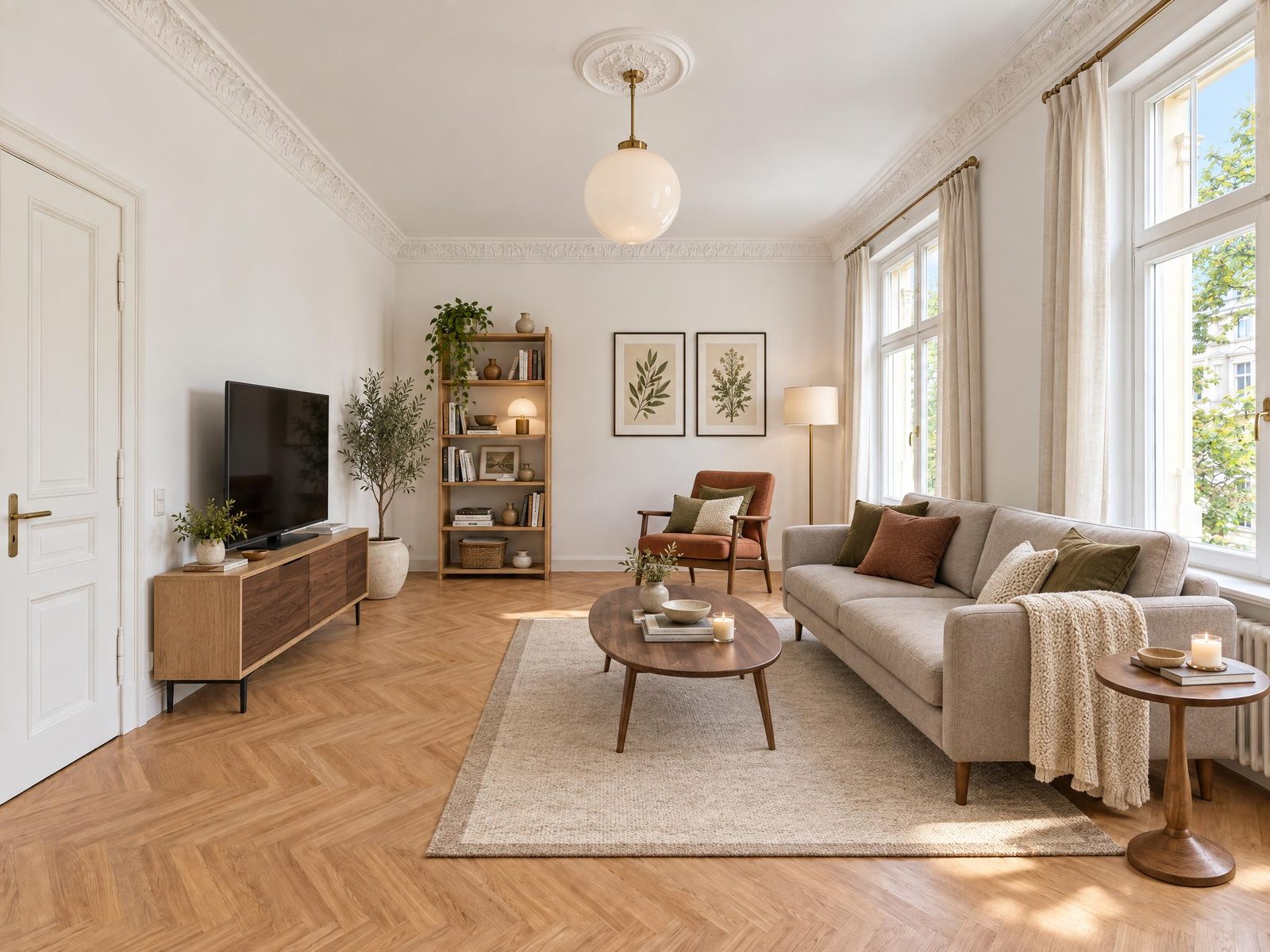
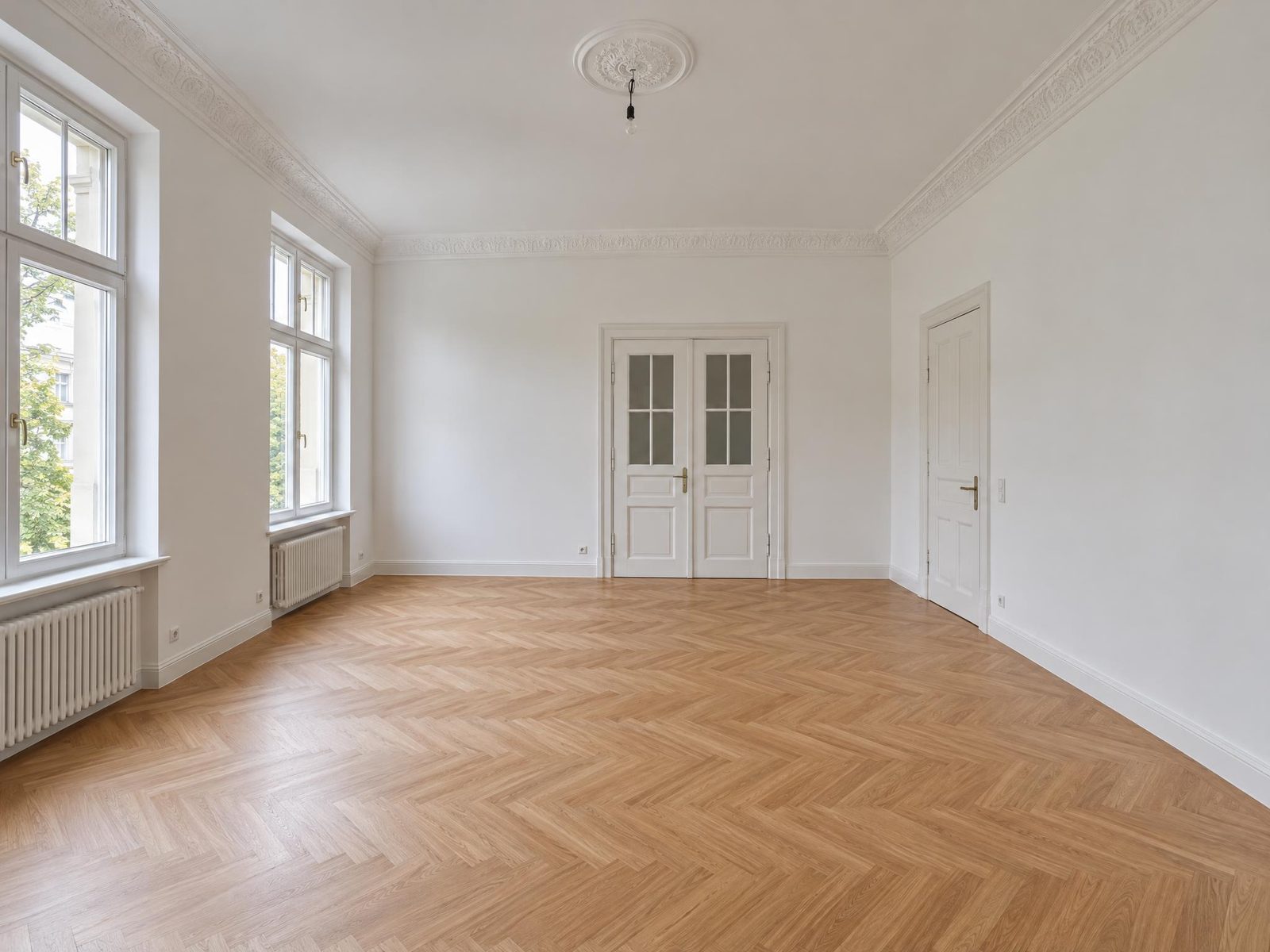
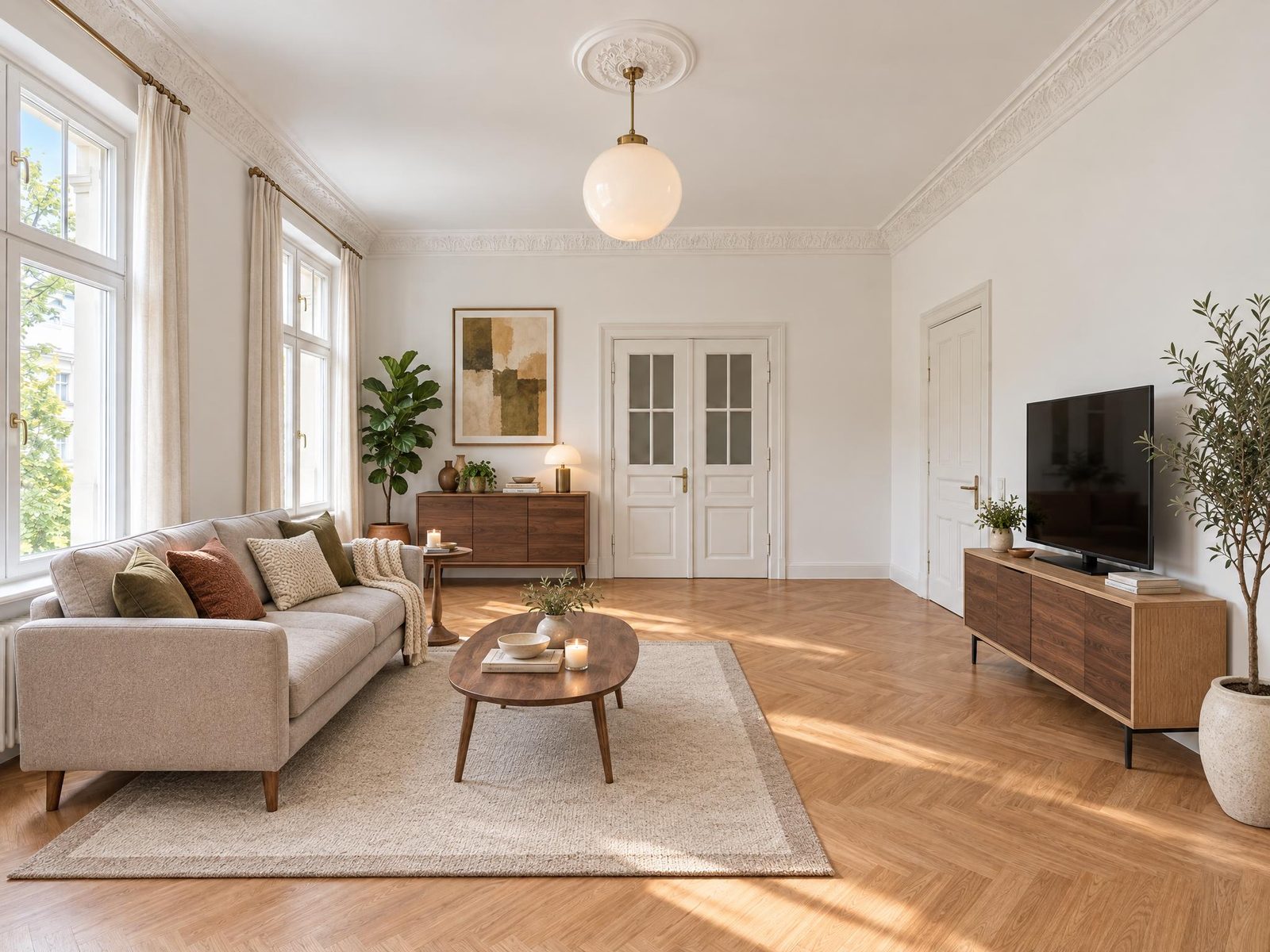
The three photos below show the same period living room from three directions. We created the empty sample room with AI, so that we show no customer photos. Immopix furnished it the same way it furnishes customer photos, and we did not retouch anything.
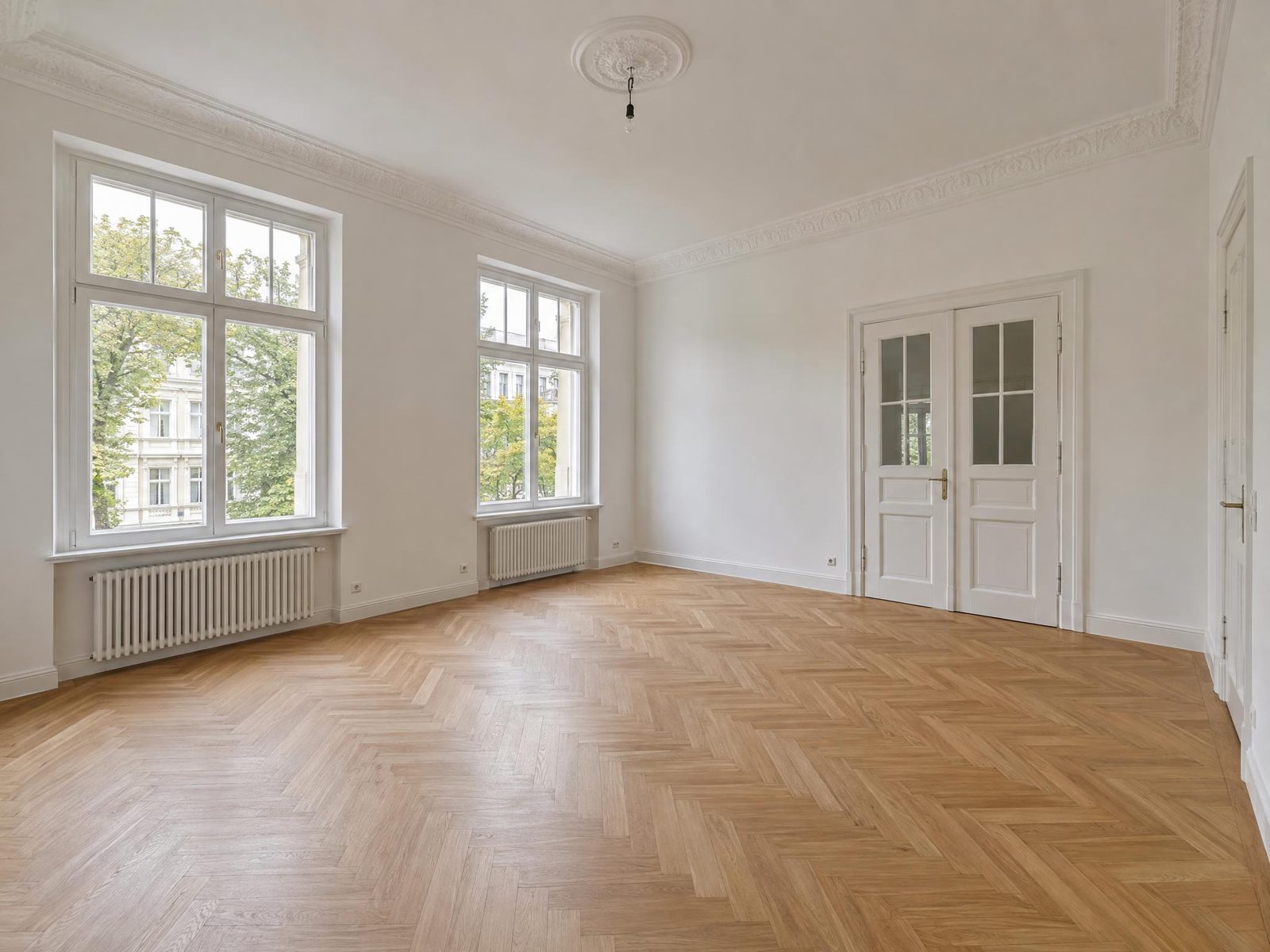 Before
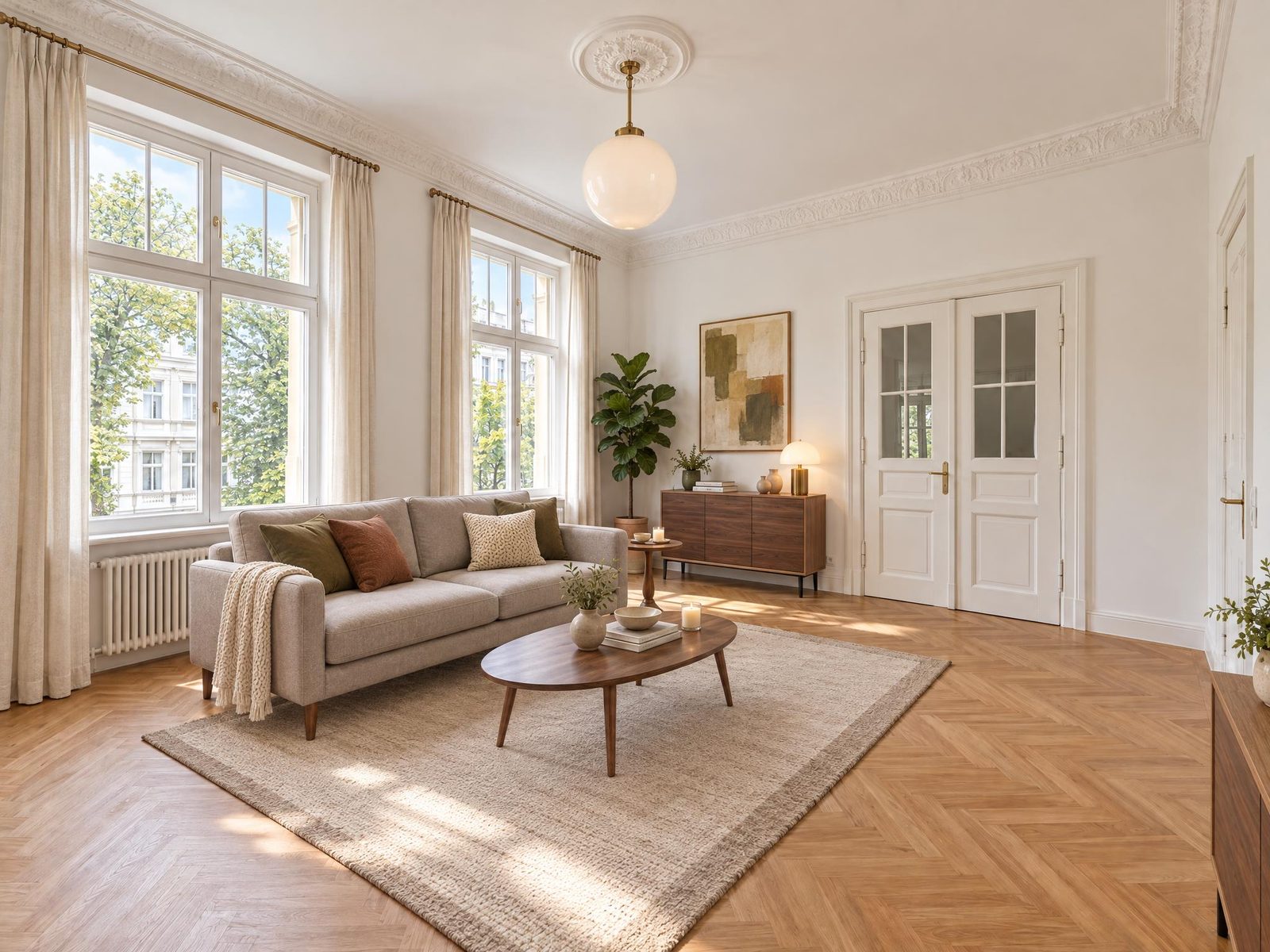 After
After
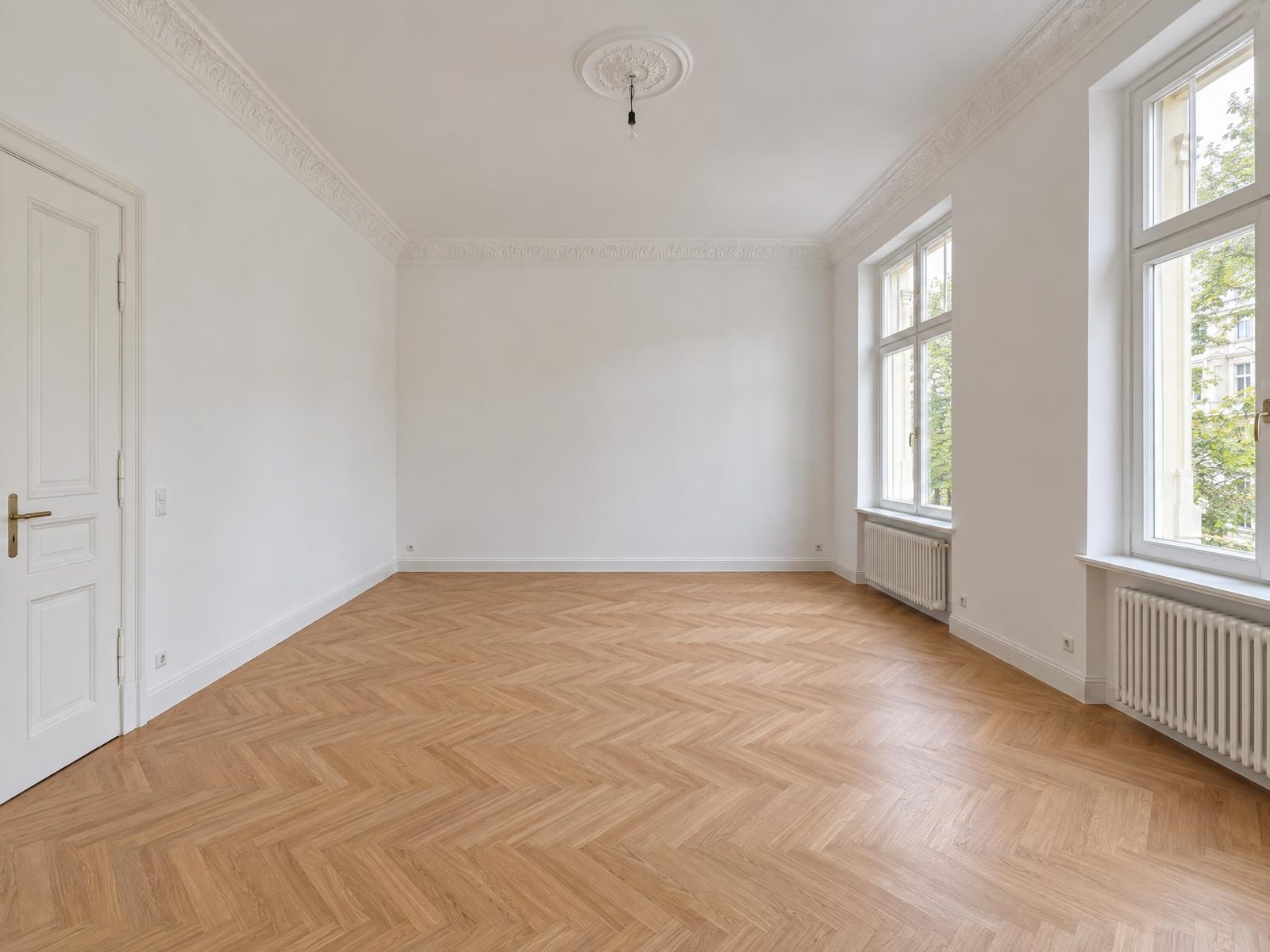 Before
 After
After
 Before
 After
After
The sofa, rug, coffee table, sideboard and TV unit stand in the same place in every photo, as far as the camera can see them. The second photo also shows the back wall with a shelf and an armchair, which the other angles do not see. Small items differ a little: in the first photo, the throw lies over the other arm of the sofa.
The example did need one correction. The first version of photo 1 left out the end of the TV unit at the right edge. We regenerated that one photo with a short instruction, as any customer can do with a revision. The shared plan for the room stayed the same.
Which methods exist for several photos of one room?
Providers solve the problem in four ways. The first row shows the usual single-photo staging for comparison.
| Method | How it works | Strengths and weaknesses |
|---|---|---|
| Each photo on its own | The AI furnishes each image independently | Fast, but each photo gets different furniture |
| Reference image | A finished staged photo serves as the template for the next one | Cheap, but results vary a lot at large angle changes |
| 3D reconstruction | Software rebuilds the room as a 3D model and places furniture in it | Technically complex, error-prone at large angle changes |
| Human designers | A designer furnishes all photos the same way by hand | Reliable, but expensive, with about 2 days of waiting |
| Shared plan plus anchor photo | The AI plans the room once from all photos, stages one photo and furnishes the others to match | Fast and cheap, but tables in open-plan living areas are a weak point (this is how Immopix works) |
A test published by the US provider ListingAI shows how hard the task is. The company compared six of its own methods on ten real rooms (July 2026), with two angles per room. The reference-image method produced no flawless result at all, and 3D reconstruction produced one in ten. Even a combined system, which sends each room to the best method for it, was flawless in only 2 of 10 rooms. We know of no independent comparison of providers. The Immopix figures further down also come from our own team's scoring.
Several providers now advertise this feature. The details in the table come from their own websites (checked on 30 September 2026).
| Provider | Method, as stated by the provider | Price, as stated by the provider |
|---|---|---|
| Pedra | Takes the furniture from another image | 1 credit per image, from about €0.14 |
| Edensign | 3D model of the room, up to 4 angles | about US$0.78 to US$1.33 per photo on a subscription |
| Collov AI | A design team creates a base version | 20 credits per image, at least 3 images |
| BoxBrownie | Human editors | about €30 per image, 48 hours |
| ListingAI | The first approved angle guides the others (beta) | Credits, amount not stated |
| Immopix | Shared plan plus anchor photo, 2 to 6 photos per room | 1 credit per photo, €0.60 to €1.00 depending on the pack |
What our tests showed before launch
Before launch, we tested the feature on real customer rooms. Our benchmark was whether a buyer can believe that the photos are real. So large and medium furniture has to match in every photo. A slightly shifted camera or a different vase is fine. A changed wall, a moved window or a missing door is a failure.
- Without a shared plan: normal staging, photo by photo, passed none of seven test runs.
- With a shared plan: 13 of 14 test runs passed. They came from seven real rooms with 12 to 20 pieces of furniture each and angles of up to 180 degrees.
- Second test series: for ten real rooms, our team gave an average of 4.4 out of 5 points for consistent furniture positions.
The tests ran on an earlier version of today's process. The most common weakness showed up in open-plan living and dining areas. In three of the ten rooms in the second series, the dining table stood at a different angle in one photo than in the others. In a case like that, it is usually enough to revise that one photo.
How to use Furnish consistently
After upload, Immopix assigns the photos of a property to rooms. An open-plan living and dining area with a kitchen counts as one room. If a photo is in the wrong room, you take it out in step 4.
- Open the property, select the photos and click Edit.
- Choose the Virtual staging preset and, if you like, a furniture style.
- The Furnish consistently card is already switched on. Below it, you see each room for which you selected 2 to 6 photos.
- If a photo does not belong to that room, click its thumbnail. Immopix then stages that photo on its own.
The video shows steps 1 to 3 and the finished result.
If one photo of the room is already staged, you can stage another photo to match it. In the image editor, the option Match this photo is then ticked already, and the new photo takes the furniture from the staged one. In furnished rooms, Replace furniture first removes the existing furniture and then furnishes all photos in the same new way. Our FAQ on staging several photos of one room has the details.
Furnish consistently is available to all accounts. The virtual staging page covers staging in general.
What to look out for when you take the photos
The shared plan works better the more clearly the photos show the same room.
- Include shared features. A window, a door or a radiator that appears in two photos helps the AI match the angles to each other.
- Shoot from opposite corners. Two photos from almost the same position give the buyer little. The opposite direction shows the walls that the first photo misses.
- Select no more than six photos per room. If you select more photos of one room, Immopix stages them one by one.
- Take sharp, straight photos. Staging does not fix a tilted or dark photo. Our real estate photography checklist has tips for this.
Frequently asked questions
Does consistent staging cost more than normal staging?
No. Each photo costs 1 credit as usual, which is €0.60 to €1.00 depending on the pack. The free revisions apply as for any other edit.
Can I choose the furniture style?
Yes. You choose a style such as Modern or Scandinavian, and you can add your own wishes. All photos of a room get the same style. The furniture style comparison shows what each style looks like.
Does it work in kitchens and bathrooms too?
Yes, the feature works for all room types. We tested it mainly in living rooms, dining rooms and bedrooms, because that is where most photos from several angles come from. Kitchens, bathrooms and hallways were not part of our tests yet.
Why does it take longer than a single photo?
Because the AI first looks at all photos of the room together and plans the furniture before it stages the first photo. The other photos follow after that. You do not need to keep the window open. The finished photos appear in the property on their own.